
CafeCentro Traditional
A counter-first timer product for shops that want the familiar front-desk workflow, cloud-managed store setup, and customer PC screens.
Setup that feels simple
Three steps from account to customer PCs.
1. Create Store
Create a Traditional store from your CafeCentro account. Returning users land directly on the selected product setup.
2. Download Client
Download the client installer and enter your shop address during setup.
3. Done
Install the client on each PC, wait for the first check-in, then open the Traditional portal.
Everything the front desk needs to start cleanly.
Traditional keeps the familiar counter workflow, then adds CafeCentro setup, reporting, staff access, and store visibility around it.
Counter-first portal
Give staff a familiar shop portal for dashboard, PC list, sessions, members, vouchers, rewards, and reports.
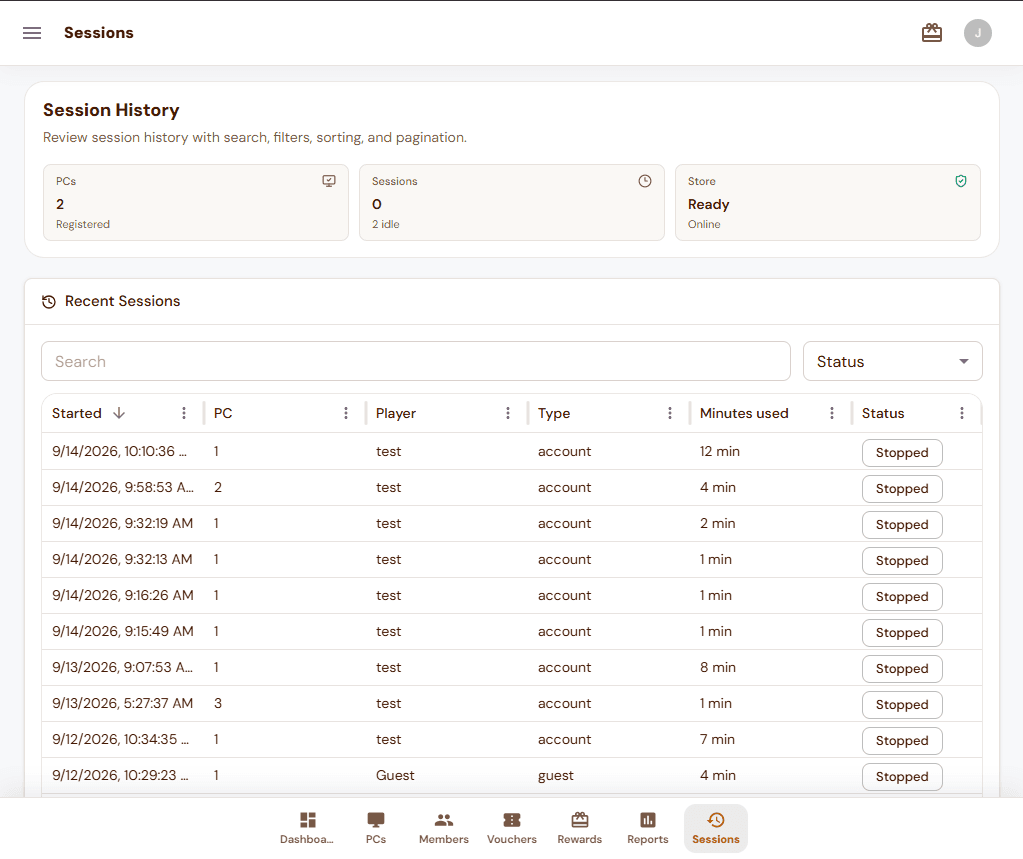
Session history
Review started time, PC number, player, session type, minutes used, and status from a cleaner audit table.
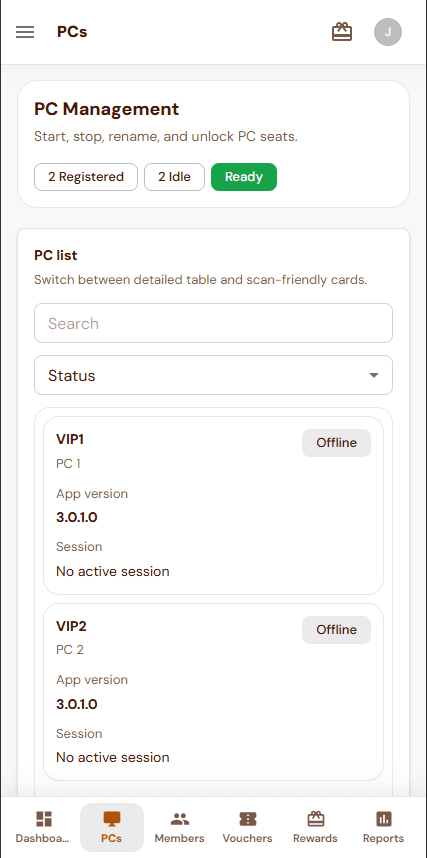
Phone-friendly PC view
Let staff check registered seats, idle PCs, and basic station details from the phone-sized portal.
Tablet-ready reporting
Use a wider touch layout for session review, status filters, and store checks while moving around the shop.
Top-ups and vouchers
Keep member credit, voucher claims, and daily counter work in one web portal.
Simple setup path
Create the store online, install the client on each PC, then manage the shop from CafeCentro.
Keep the traditional shop view usable on every screen.
Owners and staff can start from the full dashboard, review sessions on a tablet, or check PC status from a phone when the counter gets busy.
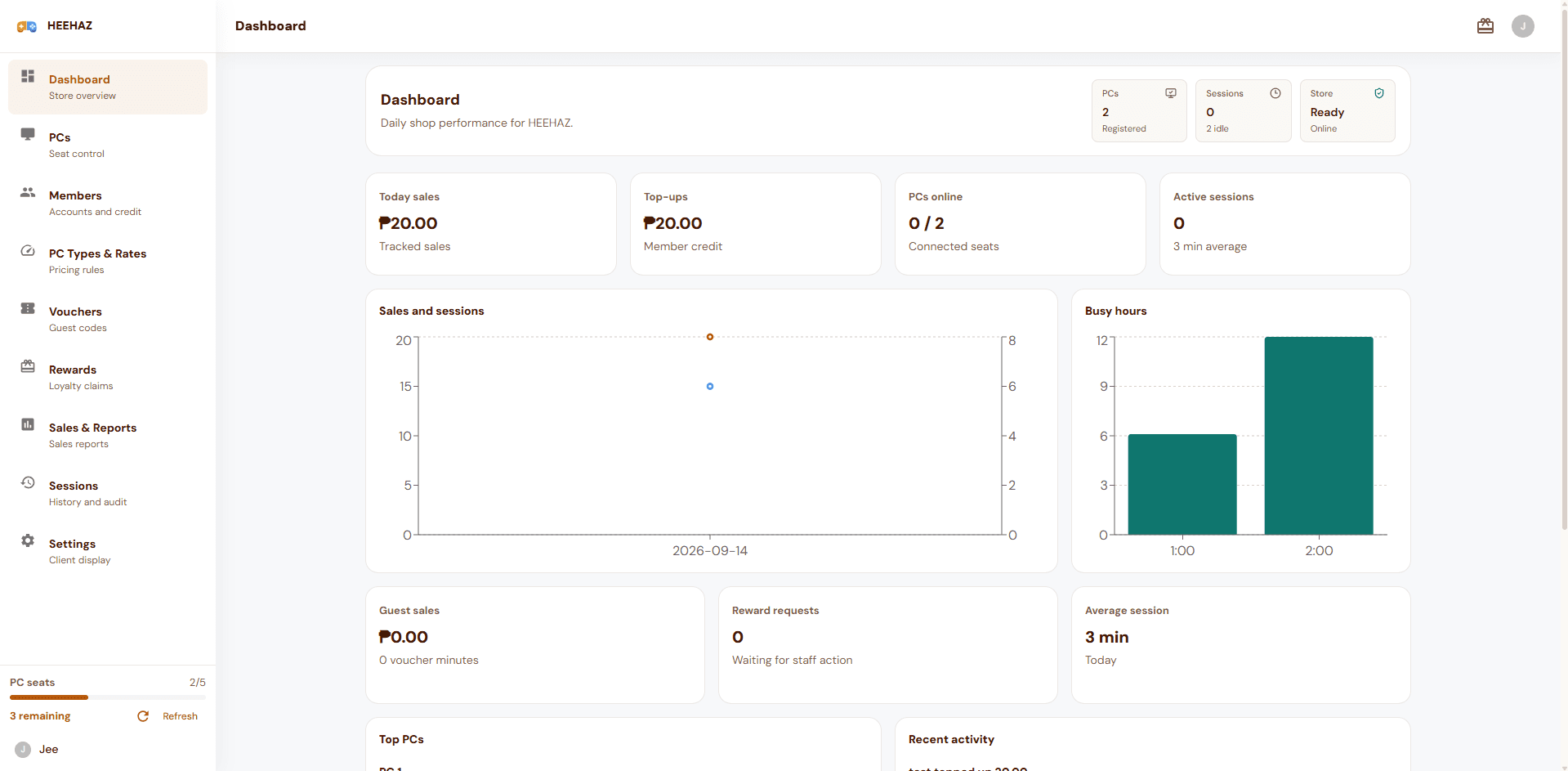
Full counter dashboard
Track sales, sessions, PCs, rewards, and recent activity from the main portal.
Tablet session review
Use a wider touch view for history, filters, and session checks.
Phone PC checks
Open the PC list quickly when you only need station status.
Show the real Traditional portal across devices.
The page should show what owners and customers actually use first: dashboard, PC list, session history, phone-ready status checks, and the active client timer widget.
Store overview
Traditional dashboard
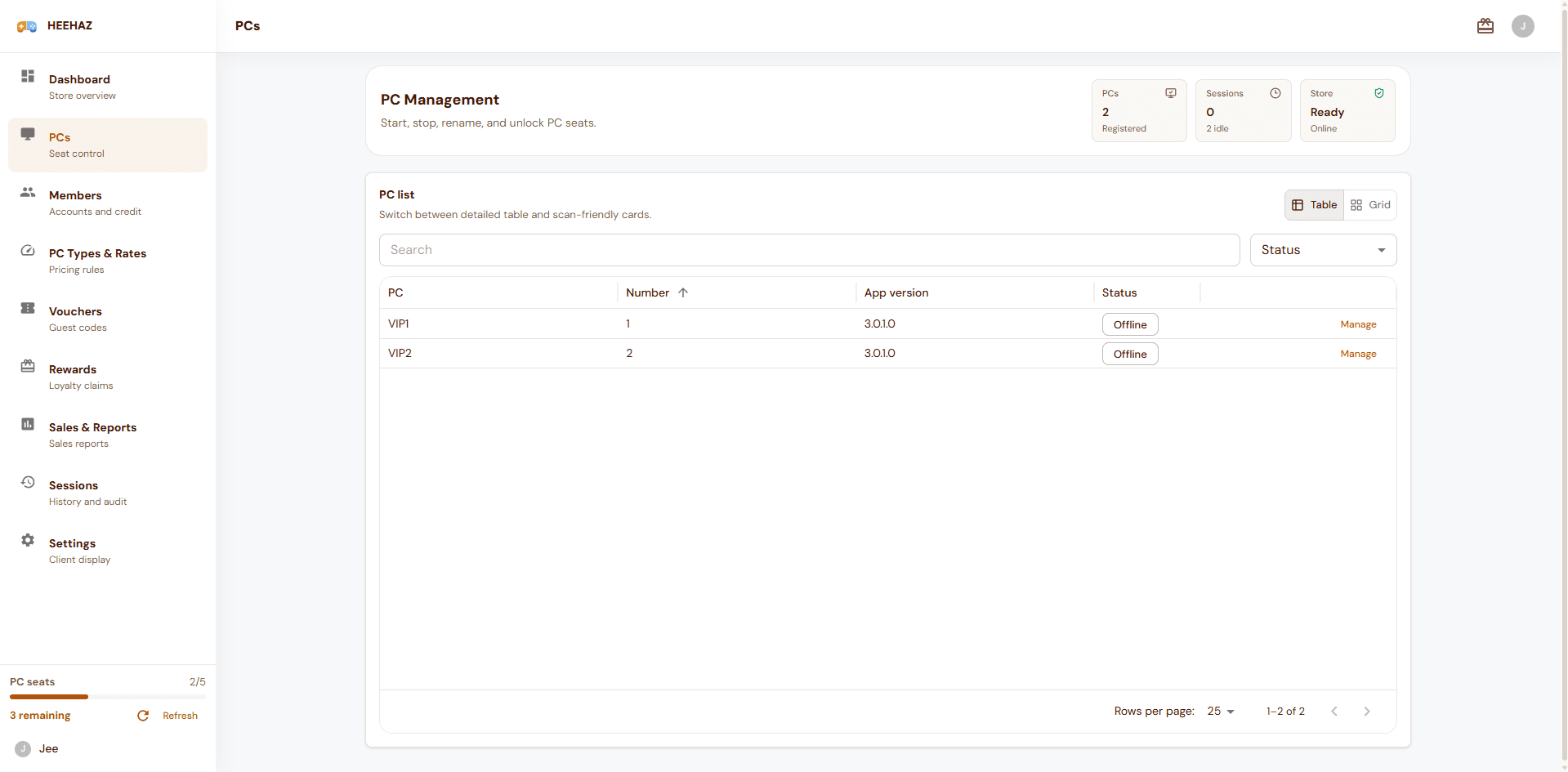
PC list
Traditional PC management
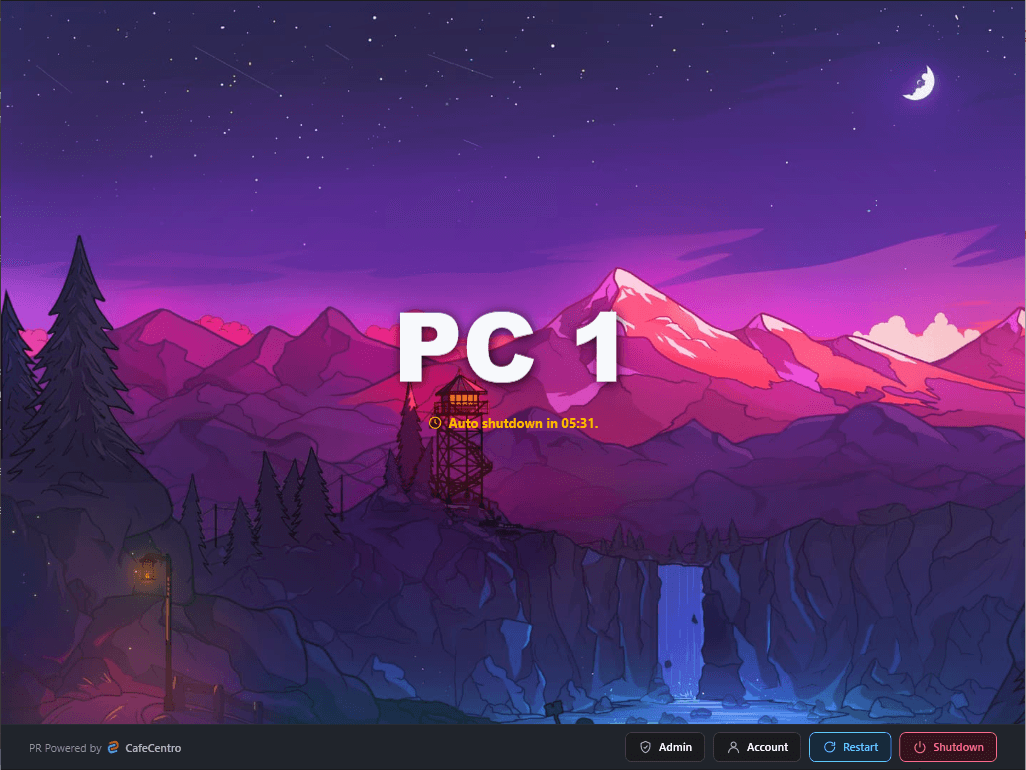
Client lock screen
Customer PC lock screen
Tablet portal
Session history on tablet
Phone portal
PC management on phone
Store overview
Traditional dashboard
PC list
Traditional PC management
Client lock screen
Customer PC lock screen
Tablet portal
Session history on tablet
Phone portal
PC management on phone
Keep the classic workflow, remove the messy setup path.
Traditional is for shops that want a familiar front-desk timer flow without asking owners to manage complicated infrastructure before the first PC appears.
Create the store online
Download the client installer
Connect customer PCs
Review sessions and sales
Setup that feels simple.
Create a Traditional store from the CafeCentro account.
Download the client installer and enter the shop address.
Install the client on each customer PC and wait for the first check-in.
Use the portal to manage PCs, sessions, members, vouchers, and reports.
Owner features
Daily control
Traditional pricing
Simple plans for counter-first shops.
Live Traditional prices come from CafeCentro, including active promos and PC limits for the client setup flow.
Public client installer.
Owners download the Traditional client, enter the shop address, and wait for each customer PC to check in.
Checking latest Traditional installer...
Ready for counter-first shops
Start with CafeCentro Traditional.
Create the store, connect customer PCs, and manage the familiar front-desk flow from CafeCentro.